About project
Integration between library pip install viberbot and Odoo is implemented in several important parts:
Challange
Initiate a new connection
When receiving messages - creating a lead in CRM
We use webhooks to connect our bot
Getting started
First, let's check if the module is installed, go to applications, and look for Viber Integration. In order to install the module, you need to put the additional library pip install viberbot on your service.
Go to Settings -> CRM here you see the fields in which it is necessary to enter data for connection.
Need the data of the Viber bot to connect, so it's time to create it. Go to the site Viber bot and log in.
Next, select an existing bot, if it exists, or create a new one.
Fill in all the fields to create a Viber bot, after that, you will receive all the information we need to connect.
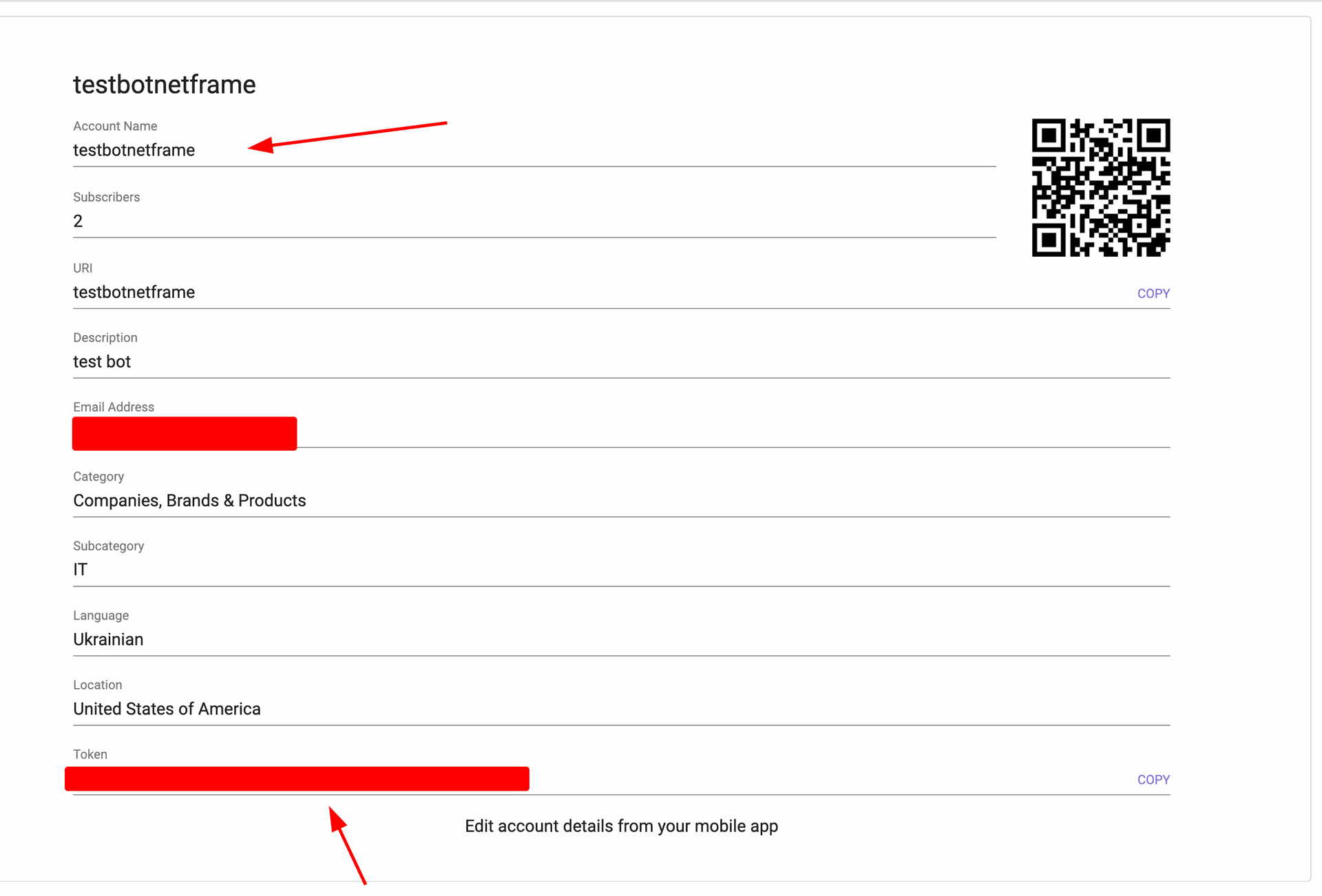
Copy the name of your bot as well as its token, return to Odoo, enter these data in the settings, and save.
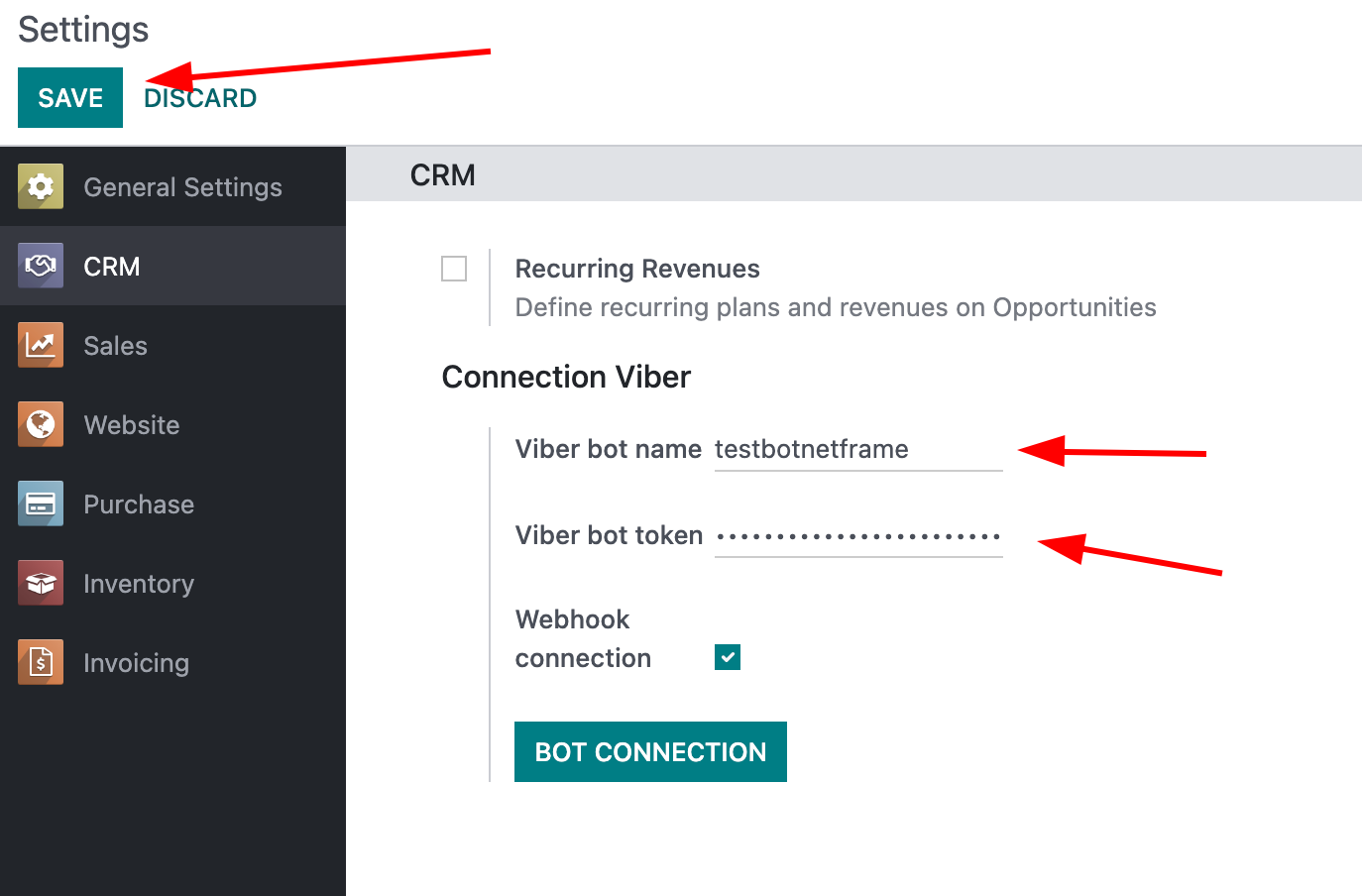
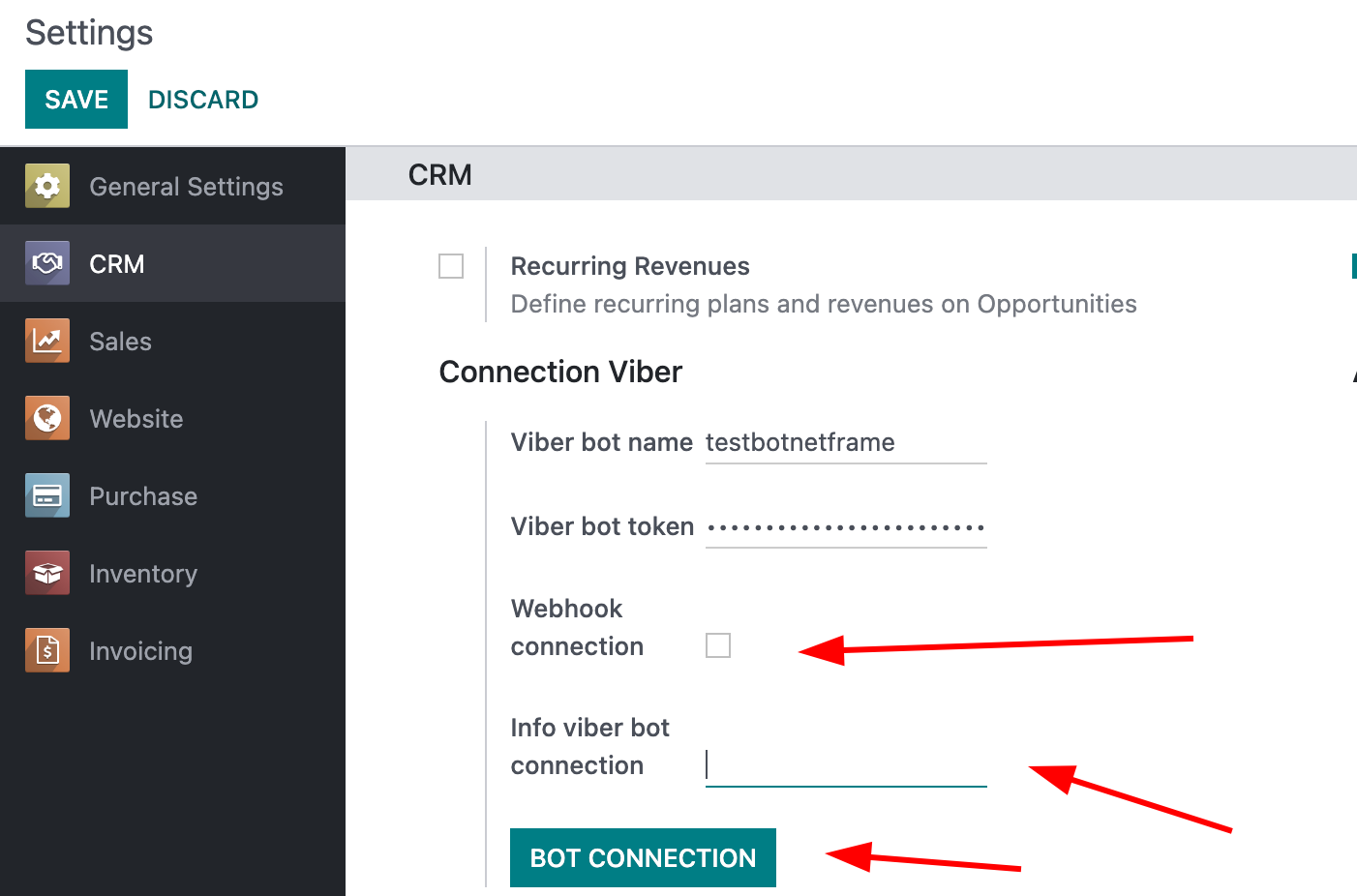
To connect the bot, use webhooks, enable developer mode, and go to settings -> System Parameters, find the https://web.base.url/ field. Your service must have an https connection. For security reasons only URLs with valid and official SSL certificates from a trusted CA will be allowed. The certificate CA should be on the Sun Java trusted root certificates list.

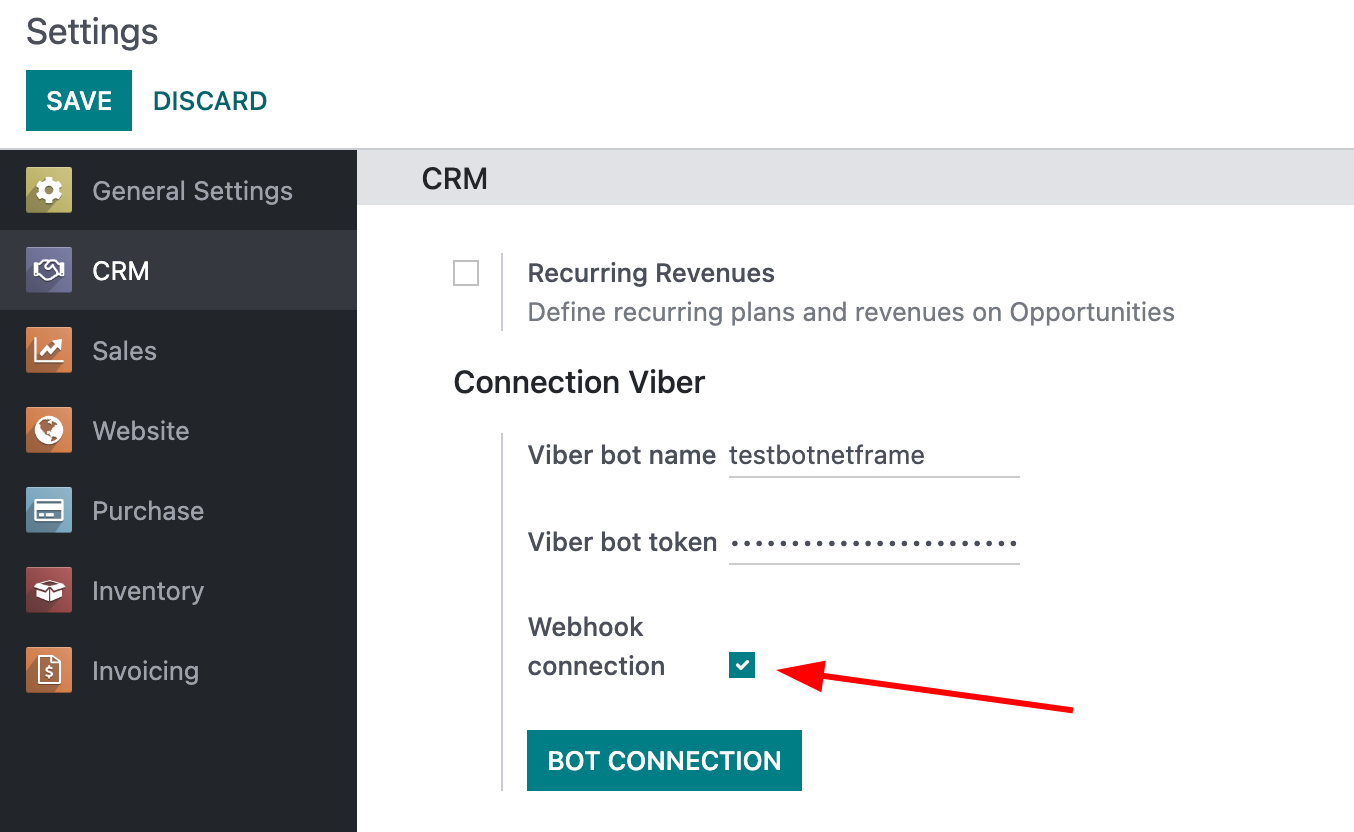
In the image, there is the Webhook connection field, we do not put anything in it, the next Info Viber bot connection field, here are errors if did not connect the webhook. Click on the Bot connection button.
The webhook is configured correctly and everything is working.
After everything is configured, you can write messages to your bot and it will create leads in the module crm.
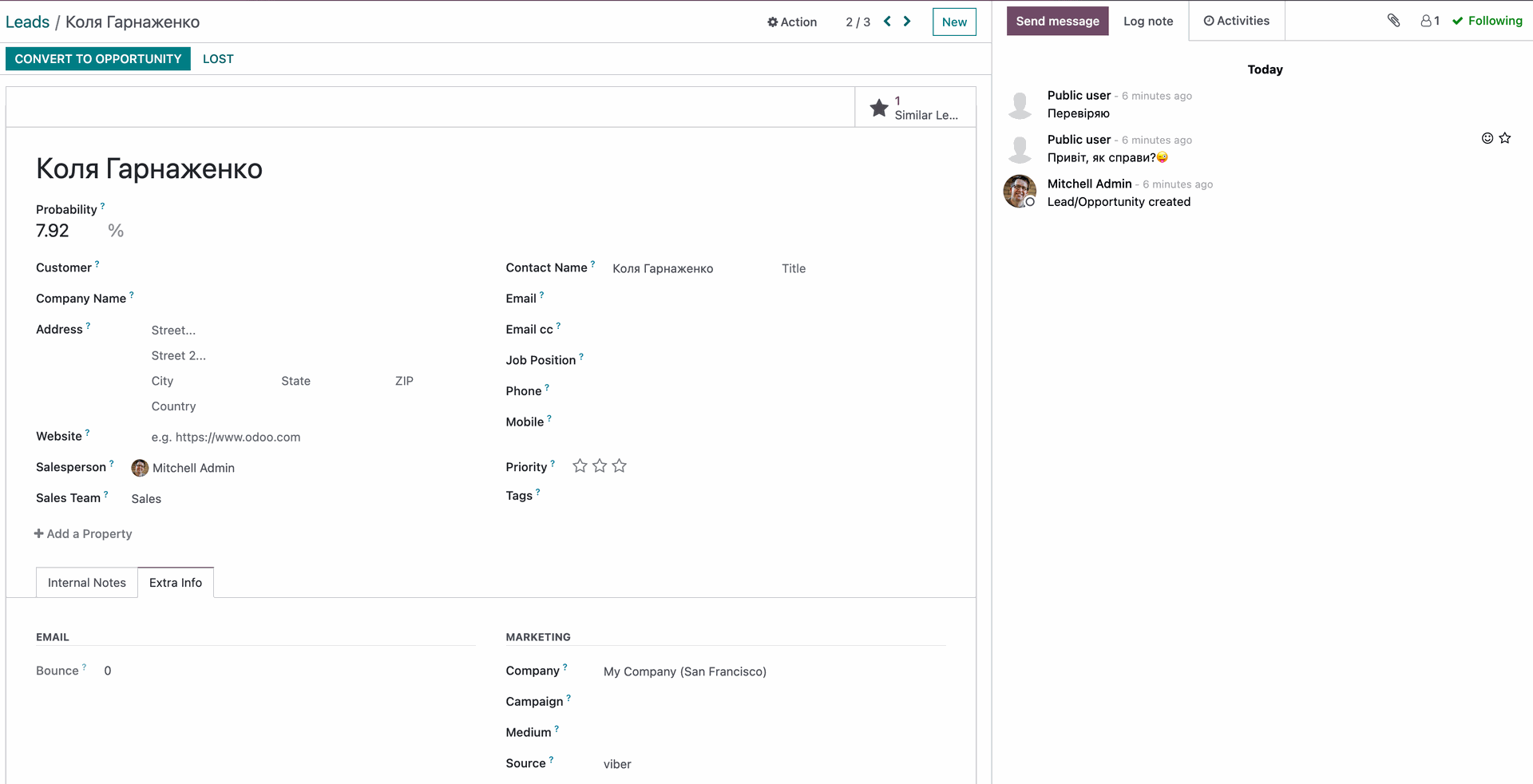
Here you can see your created lead, as well as the messages that the client wrote to us, you can conduct a dialogue right here.
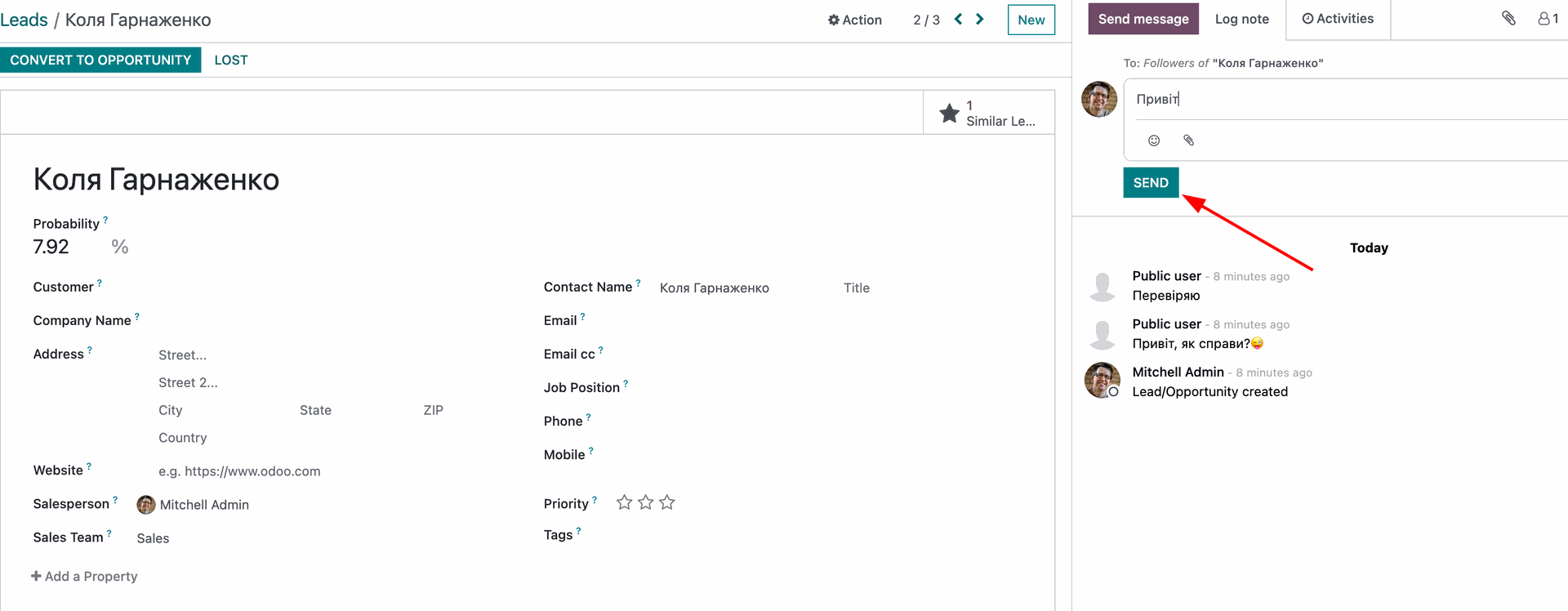
Now your Viber bot is available only to the contacts of your phone, in order to share it, you go from the mobile phone to the Viber application, settings -> bots -> select our bot -> press the share button at the top and select friends.
Why Use Viber Bot Integration for Lead Generation in Odoo?
Automated Lead Capture
Incoming messages to the Viber bot are instantly converted into CRM leads, eliminating manual data entry and ensuring no potential customer is missed.
Seamless Odoo Ecosystem Integration
Connects directly with Sales, Marketing, Inventory, and Accounting modules, providing a unified platform for managing the entire customer lifecycle from initial contact to invoicing.
Full Conversation History Access
Stores and displays complete dialogue threads within Odoo, allowing teams to review interactions and continue conversations without switching apps.
Enhanced Sales Efficiency
Automates lead assignment, follow-ups, email logging, and task reminders, freeing up time for high-value activities like closing deals.
Real-Time Customer Engagement
Enables quick responses via Viber within the CRM interface, improving response times and boosting customer satisfaction.
Easy and Secure Setup
Simple configuration using webhooks and tokens, with secure HTTPS connections, making it accessible for Odoo 15/16 users without complex technical expertise.
Scalable Growth Support
Handles increasing lead volumes effortlessly, supporting business expansion while maintaining organized, traceable customer data.