About project
Liqpay is the Ukrainian payment provider (from PrivatBank) for online payments and various internet acquiring services. More information is accessible on Liqpay official web page. The main purpose of this article is to provide full description of the new payment provider - Liqpay Payment Gateway to enable making transactions from the Odoo website.
Challange
Define Integration Goals
Access Liqpay API Documentation
Develop or Install Odoo Module
Configure API Access
Define Integration Scenarios
Financial Reporting
Solution
Configuration of the L-PG for Odoo consists of two parts:
Configuration of Liqpay
Configuration of payment provider in Odoo
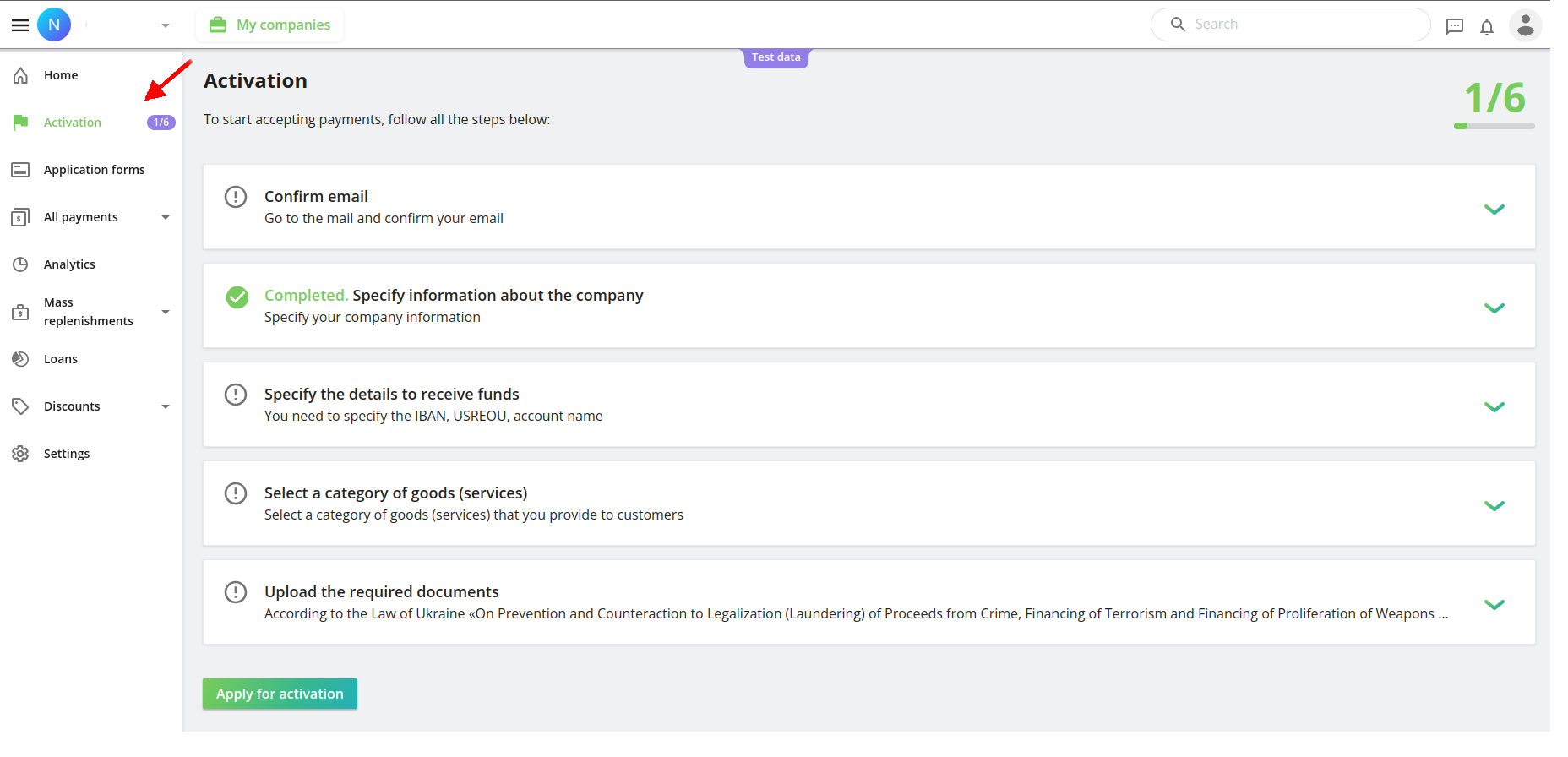
Company registration and activation
In order to connect L-PG to Odoo client should register their company on Liqpay and complete all steps of mentioned company’s activation
Liqpay API Settings
In order to allow Liqpay accepting redirection from Odoo (Liqpay home page → Settings → API (Settings)) fill in the following parameters:
API keys
Liqpay provides two sets of API keys:
- Test API Keys (public and private) - used for testing purposes (for more info refer to Test environment).
- Productions API keys (public and private) - used for production environment
Payment page settings
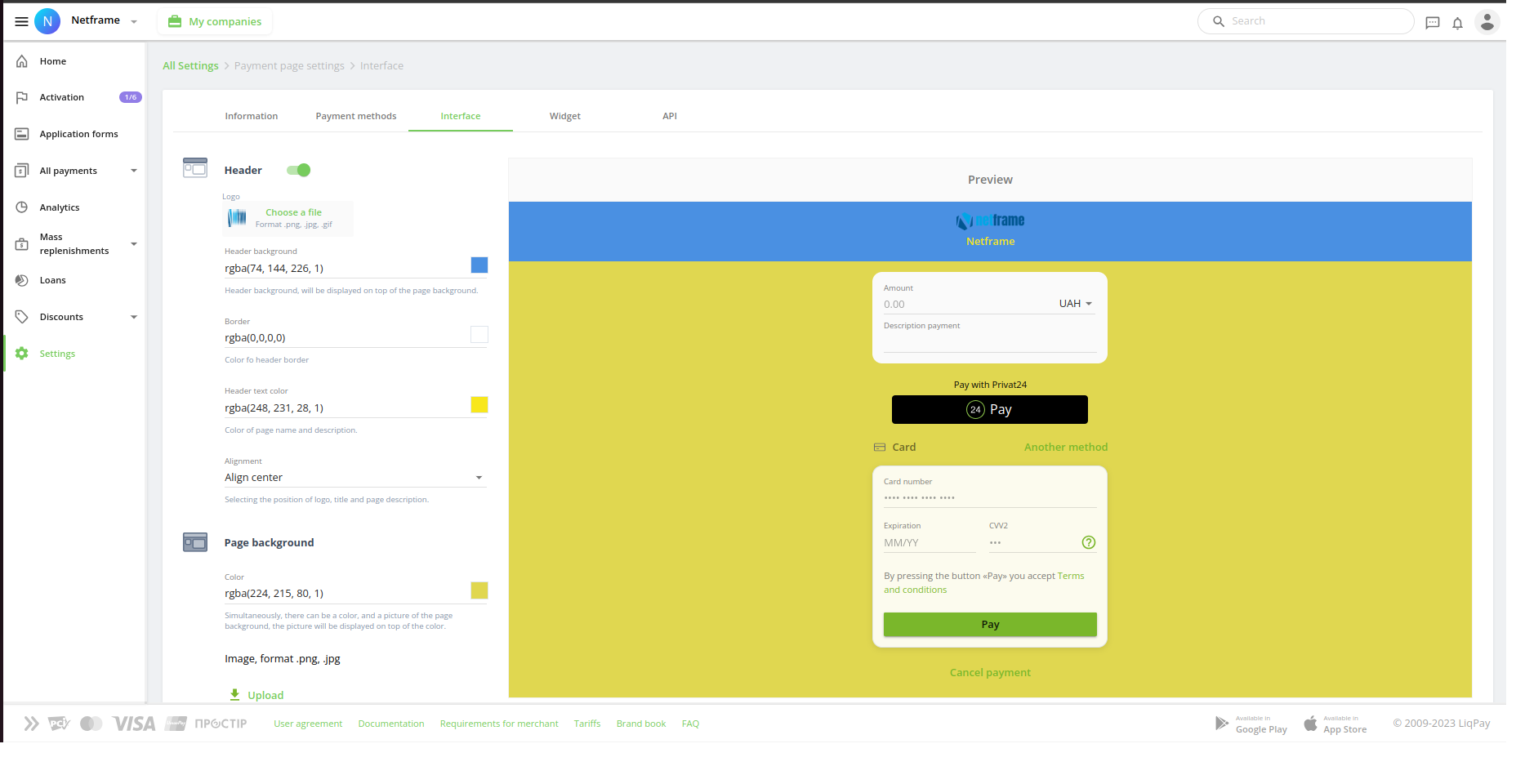
Liqpay also provides wide variety of settings to customize payment page (Home page → Settings → Checkout → Interface)

Finaly
The redirection to the Liqpay payment gateway was implemented. The checkout page was selected for implementation. The main advantage of this type is that the entire payment process is handled on the Liqpay page (collection of information, execution of transactions) to ensure maximum security of the entered payment information.
Configuration of Payment provider in Odoo
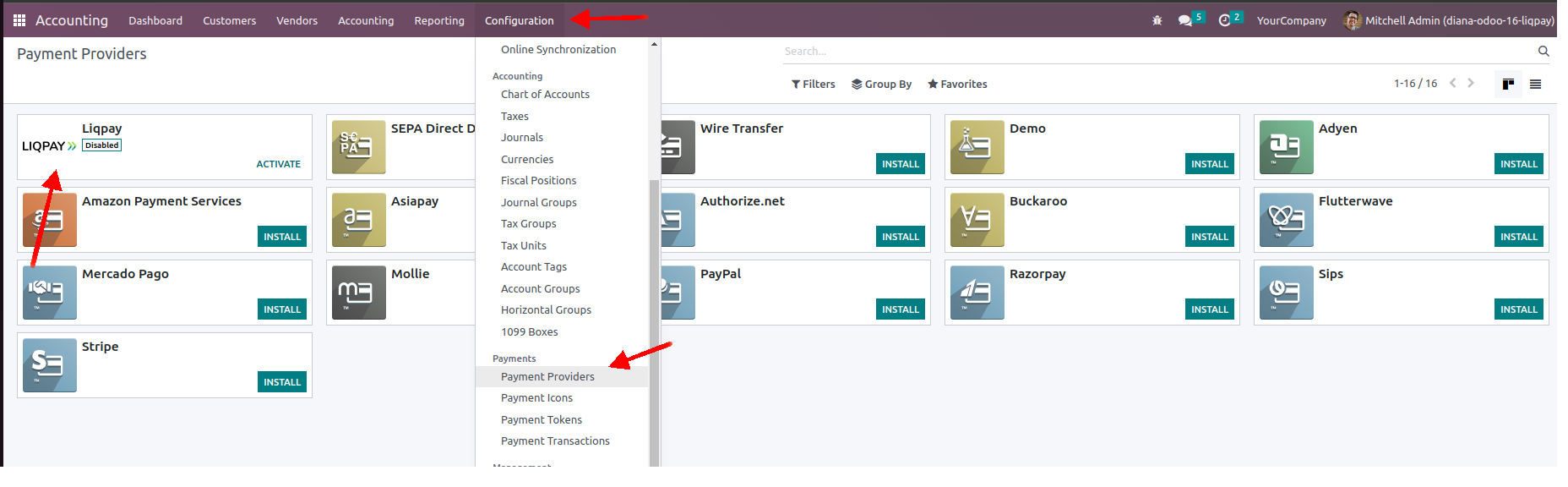
After module installation user will have Liqpay payment provider available in Odoo (Accounting → Configuration → Payments → Payment Providers):
Production environment
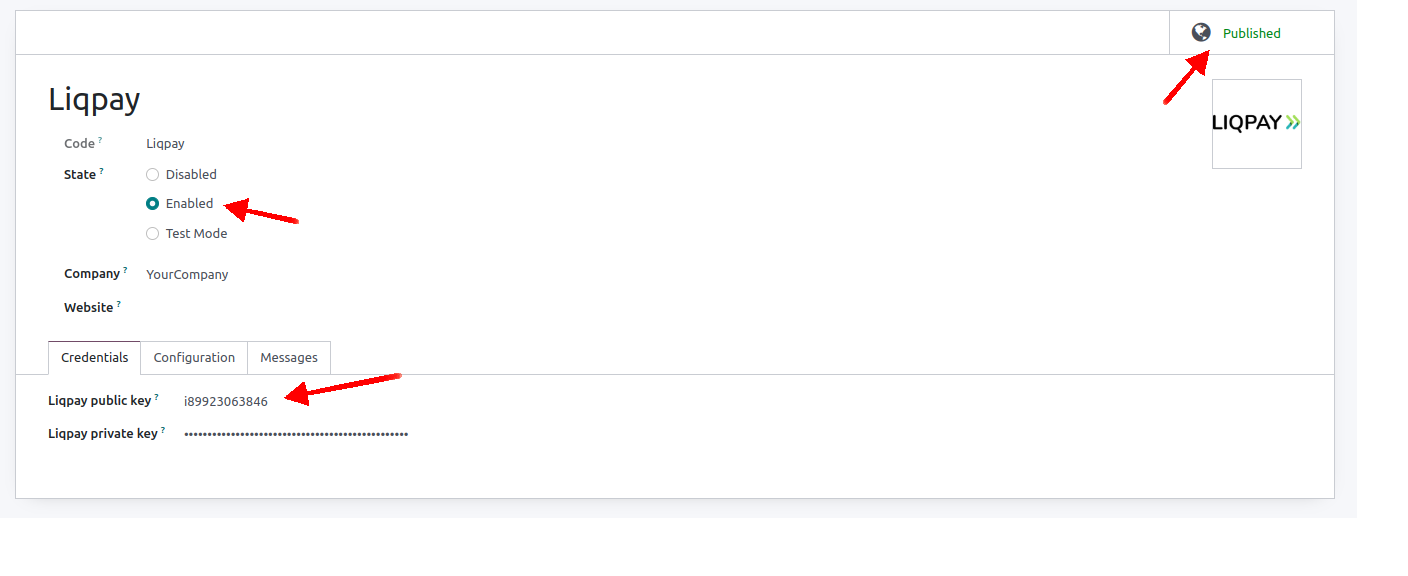
For production environment Payment Provider configuration in Odoo should look like:
Pay bills easily
IIf you have any specific questions or need assistance with the Liqpay integration or any other aspects related to Odoo or payment gateway integrations, please feel free to ask. Netframe's expertise in this area should prove valuable in optimizing your online payment processes.
For visual representation of the depicted above flow please refer to the video below: