About project
Integrating Odoo with WhatsApp can enhance your business communication and customer engagement.
Integration between instagrapi library and Odoo is implemented in several important parts:
Accessing the WhatsApp Business API
Lead generation from WhatsApp using ApiChat
Possibility of feedback with the WhatsApp user. Correspondence history
Getting started
To integrate WhatsApp with Odoo, you'll need access to WhatsApp's Business API. You can apply for access through the WhatsApp Business API providers approved by WhatsApp, as direct access is typically available to medium and large enterprises.
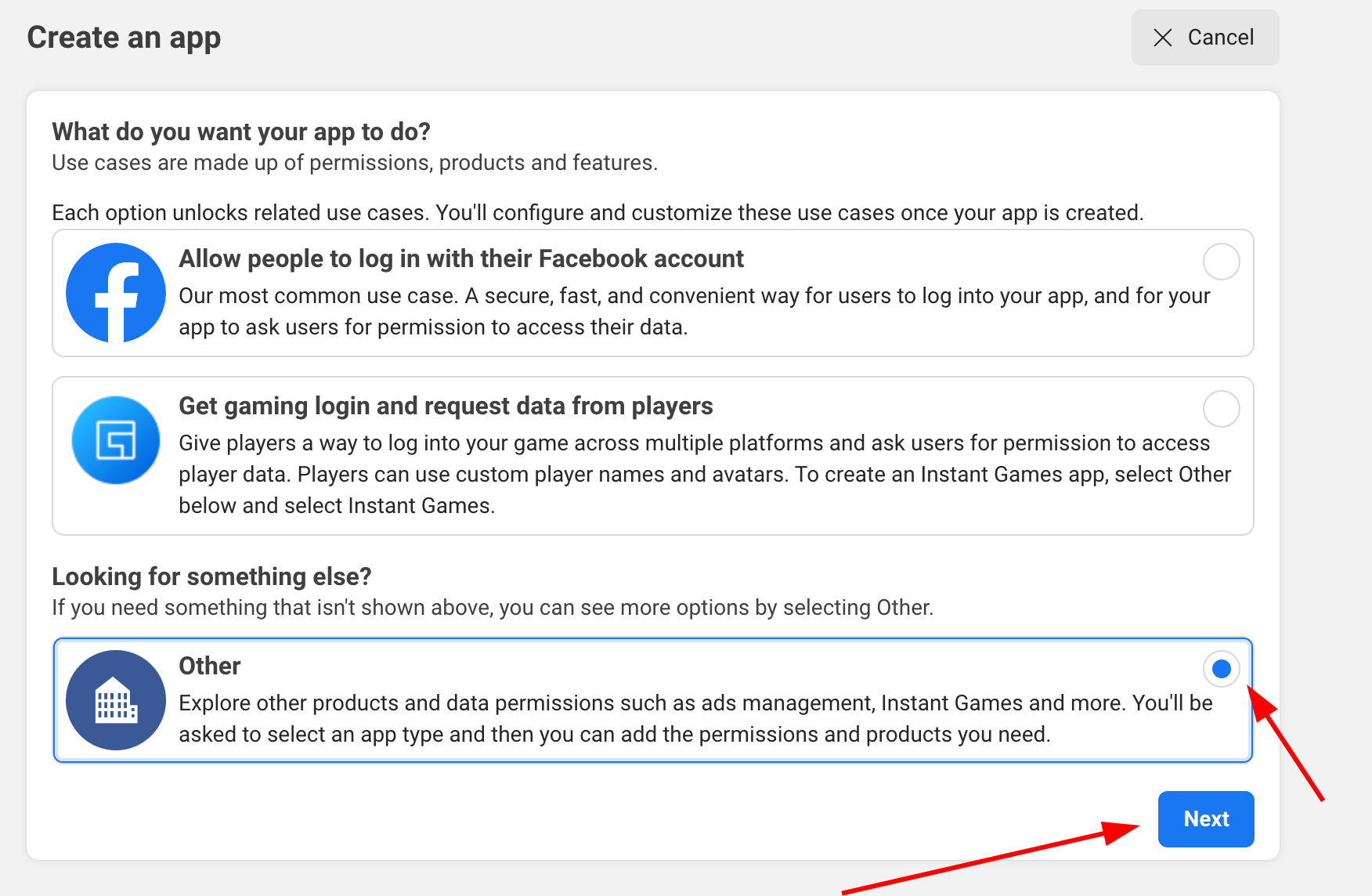
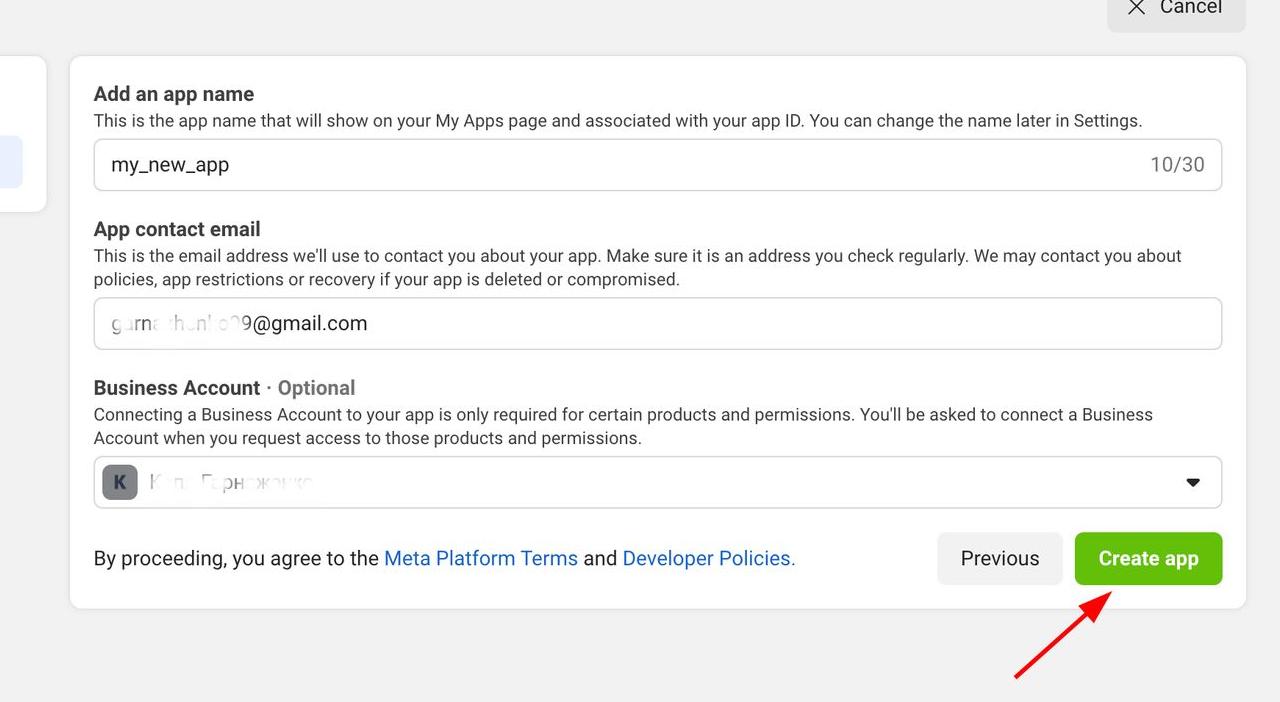

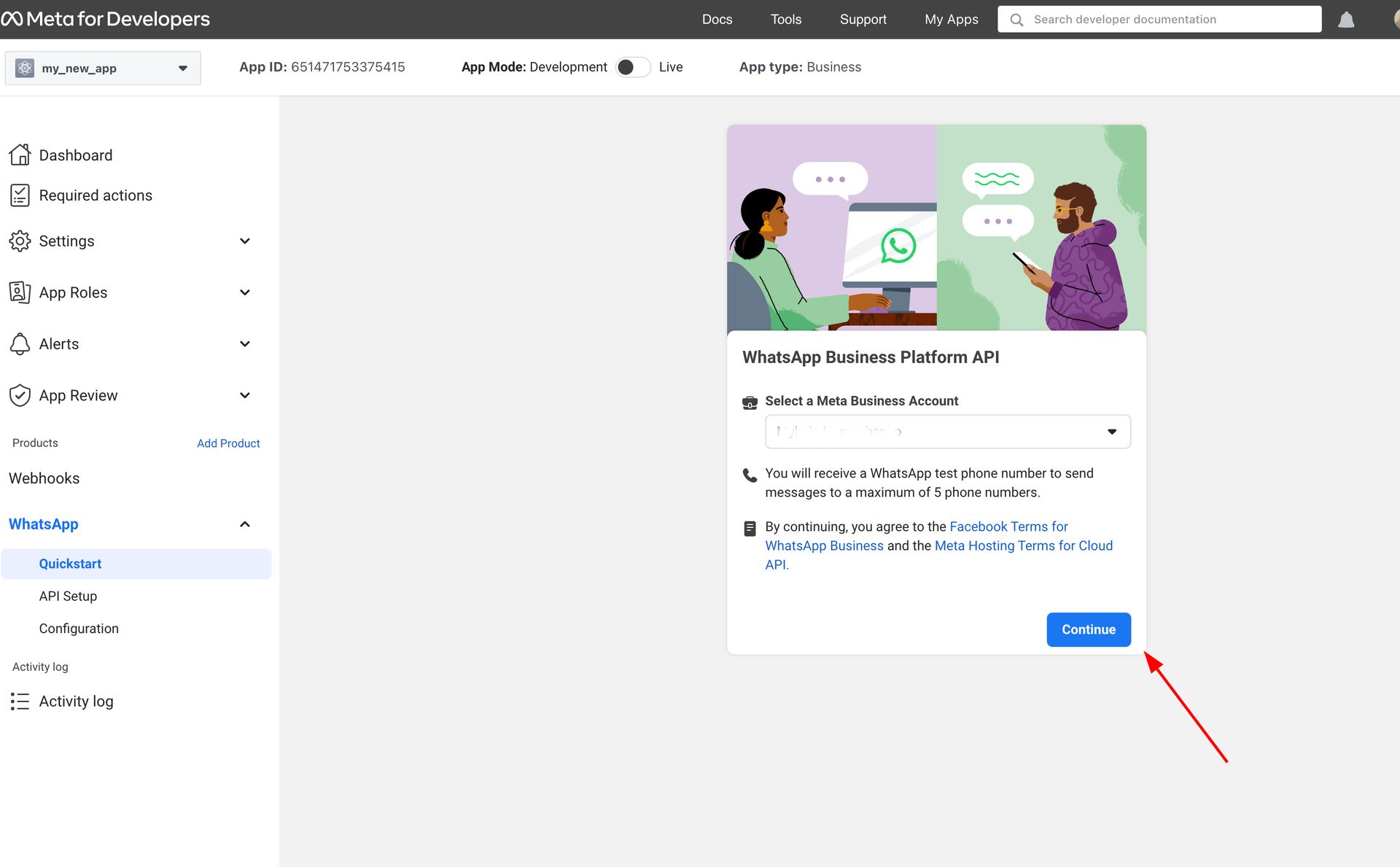
Return to application and click Settings -> Basic and copy the App id and App secret

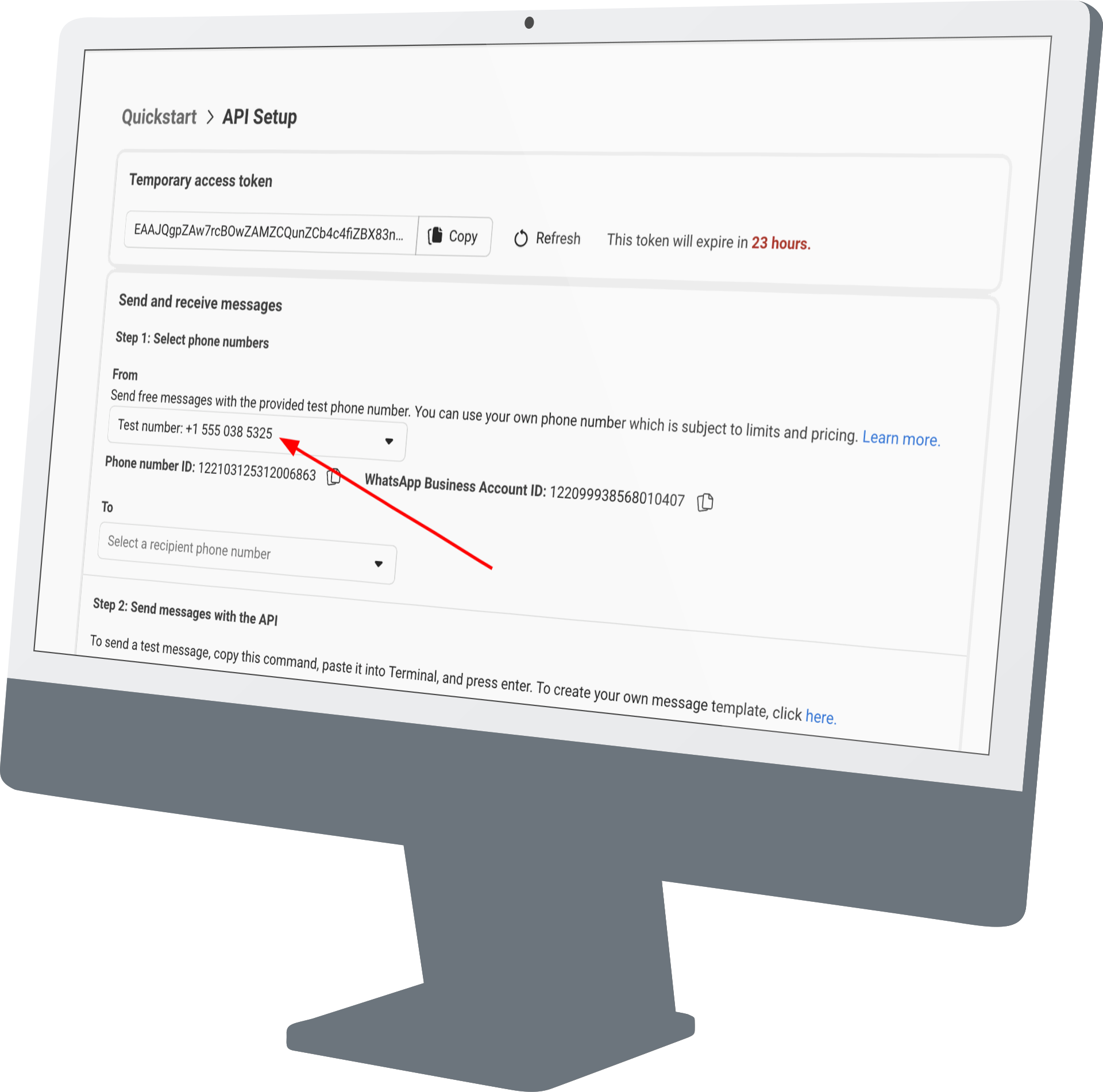
Also, you must move on Whatsapp → API Setup and copy the access token and phone number ID

Return to the Odoo and go to
Settings → CRM. There are 4 fields:

Let's configure our webhook, I remind you that your service should be https. For security reasons only URLs with valid and official SSL certificates from a trusted CA will be allowed. The certificate CA should be on the Sun Java trusted root certificates list.

In the Callback URL field, insert the URL of our service and add /WhatsApp to it

Next, go to module controllers, then uncomment the code and after connecting a selection of fields, which are here, subscribe to the message, then commit our controller to codein and uncommit the main function and finally our webhook is configured, you can test it, write a message to the test number.
Return to the Odoo and look that you have created a lead in CRM and you can see messages, sent to you by the client on the test number, but if you want to reply to the client, press to send a message and you are redirected to the WhatsApp website, then log in using QRcode and you may further correspond with your potential client.

Why should you use Odoo Integration with WhatsApp?
Enhanced Business Communication
Leverages WhatsApp's vast user base to improve customer engagement and support, allowing seamless messaging directly within Odoo for faster responses.
Automated Lead Generation
Automatically creates CRM leads from incoming WhatsApp messages, capturing potential customers instantly without manual data entry.
Streamlined Message Handling
Captures and displays WhatsApp chats in Odoo CRM, enabling teams to view full conversation history and reply efficiently via integrated QR code login.
Unified CRM Platform
Integrates WhatsApp data with Odoo modules like Sales, Marketing, Inventory, and Accounting, providing a single hub for all business operations and customer data.
Comprehensive Customer Insights
Delivers a 360-degree view of interactions, including leads, opportunities, quotes, orders, invoices, and support tickets, for better decision-making.
Sales Task Automation
Automates repetitive processes such as lead assignment, follow-ups, and reminders, boosting team productivity and sales efficiency.
Easy Webhook Setup
Configures secure webhooks for real-time data sync, ensuring reliable automation and minimal setup effort for ongoing WhatsApp-CRM connectivity.