About project
Implemented the possibility for the customer to agree the time sheets of the performers in the personal account of the portal user. They also added the ability to verify report cards with a personal signature. This made it possible to automate and simplify communication between the client and the service provider
Main added functionality
Viewing Validated Timesheets
Once the Timesheet module is installed and activated, you can view validated timesheets by following these steps:- Navigate to the main menu of your system.
- Select the "Timesheet" app from the available options.
- Inside the Timesheet app, locate and click the "All Timesheets" button.
- Click on the "list" button located at the top right corner of the page.
- This action will display a list of timesheets, including the "Validate" field.
- By checking the "Validate" field, you can see which timesheets are marked as validated and easily identify the ones that are not.
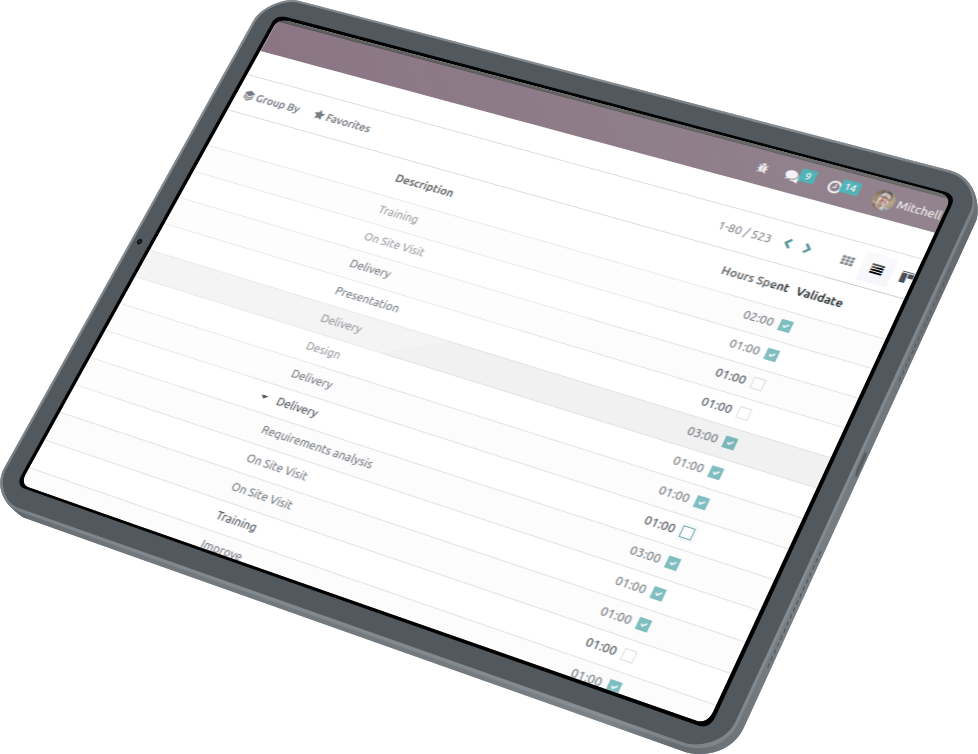
Automated Attachment of Timesheets to Invoices
If you have an invoice that includes hourly wage payments and you want to attach timesheets to it automatically, you can follow these steps:
- Open the specific invoice for which you want to attach the timesheets.
- Look for the "Send and Print" button associated with the invoice.
- Click on the "Send and Print" button.
- This action will generate a PDF file that contains all the timesheets associated with the invoice.
- Check the generated PDF file, and you will find the second file named "Timesheet_to_INV...," which includes the attached timesheets.


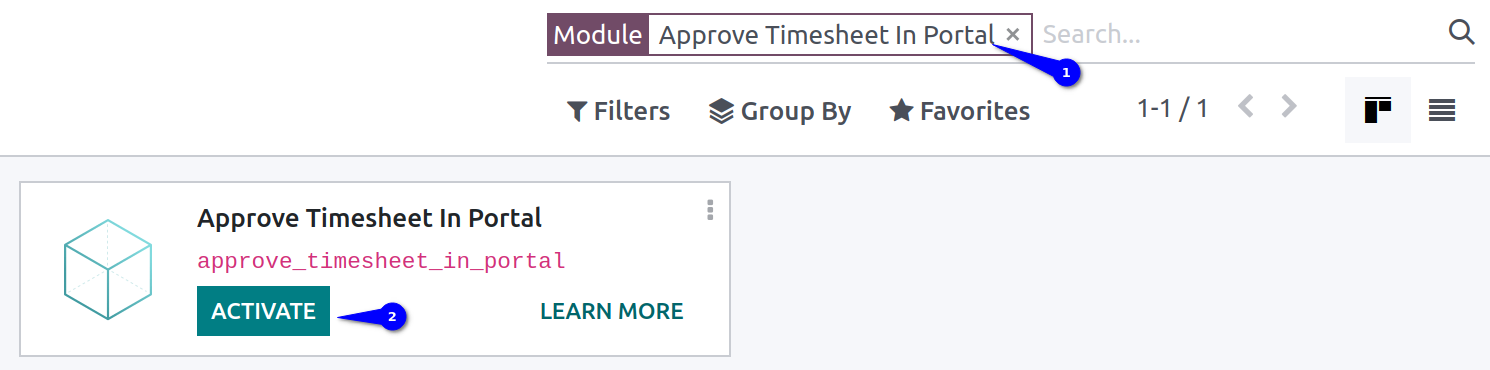
Approve Timesheet In Portal
Install the module Approve Timesheet In Portal
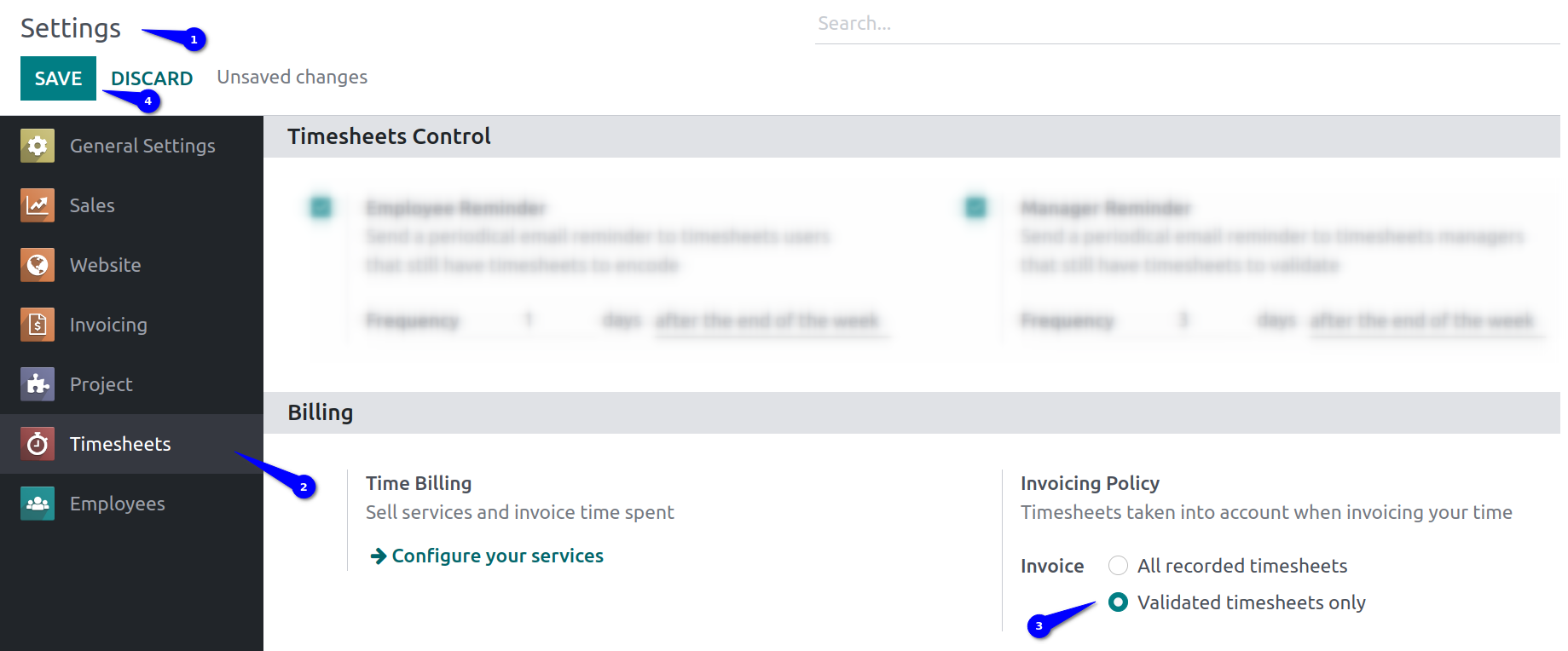
Change the invoice value to Validated timesheets only
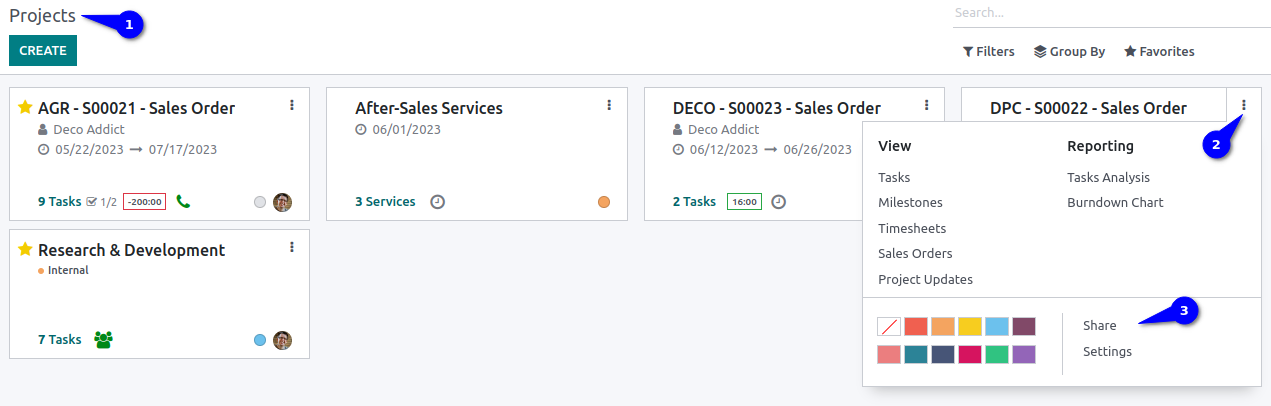
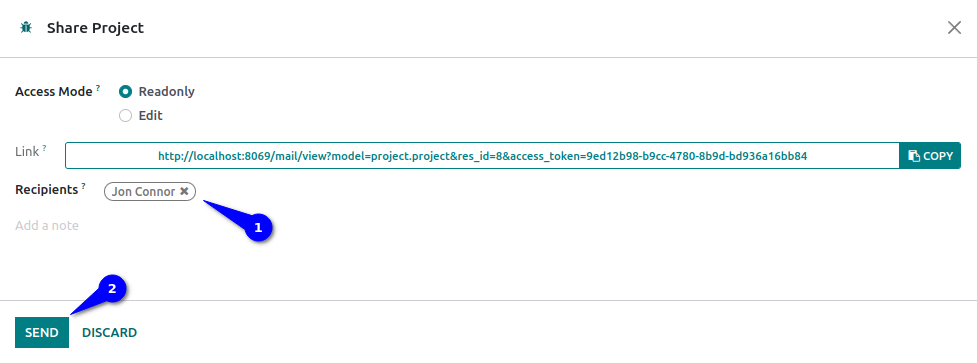
Share a project or task
Choose a user (regardless of the Access Mode value, the portaluser will be able to approve timesheet)
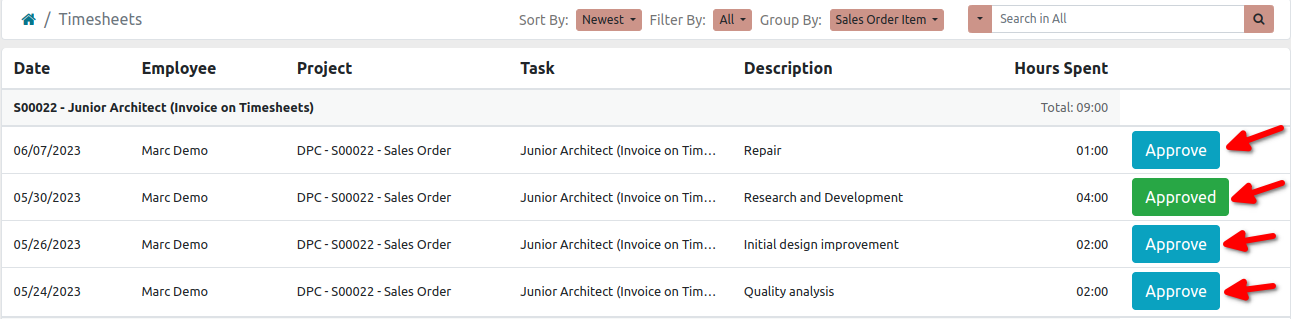
Hyperlinks to individual timesheet are available on the portal, select any to confirm. Click Approve to sign
Choose a signature method convenient for you and click Sign

Why Use the Extension for Timesheet Approval in Odoo?
Streamlines Client Approvals
Allows clients to approve timesheets directly in their portal account, reducing back-and-forth emails and manual follow-ups for faster validation.
Enhances Document Security
Enables certification of timesheets with a personal digital signature, ensuring authenticity and traceability in the approval process.
Automates Invoice Integration
Automatically attaches validated timesheets as PDF files to invoices, simplifying billing for hourly services and ensuring accurate documentation.
Improves Accessibility
Portal users can easily view, filter, and approve timesheets via hyperlinks, making the process intuitive even for non-technical stakeholders.
Boosts Operational Efficiency
Extends standard Odoo functionality to support self-service approvals, minimizing administrative overhead in HR and project management.
Ensures Compliance and Accuracy
Requires validated timesheets for invoicing, helping businesses maintain precise records and avoid errors in payroll or billing.